
On this page
What on-page SEO is
It covers the parts of a page you control directly: the title tag, the meta description, the headings, the text, the links to your other pages and the images. Where technical SEO decides whether Google can read a page at all, on-page SEO decides what Google thinks the page is for, and whether a searcher chooses it.
It matters most on pages that already get seen.
A page Google shows on page one but that few people click is usually losing on its title and description, not its content.
A page sitting around position 12 often needs clearer headings and a more complete answer, not more links.
The parts that carry the most weight
Images need alt text that describes them, and a width and height so the page doesn’t jump as they load.
Before and after: link text
The link text is part of the signal:
Example for illustration; not a client's data.
How to check it yourself
- Sort your pages by impressions.
Open Search Console's Performance report, sort pages by impressions, and look at the click-through rate of your top twenty. A page with plenty of impressions and a low CTR is your first title to rewrite.
- Read each page's tags.
Then view each page's source, or use your browser's inspector, and check the title, the description, the H1 and the headings under it.
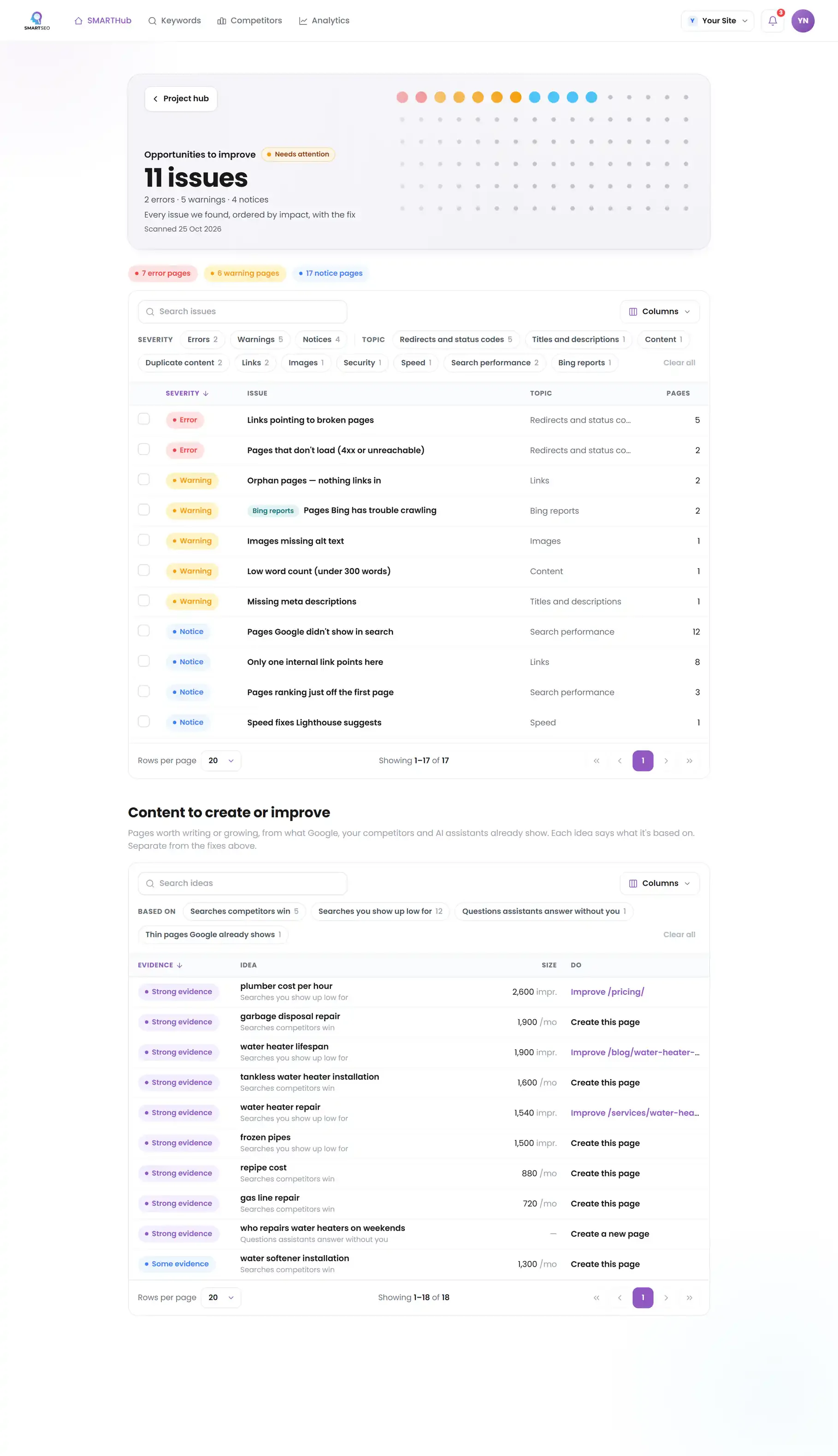
On more than a handful of pages, a crawl is the only practical way. SMARTSEO checks every page it reads for each of the problems below, groups them in Opportunities by how many pages they affect, and, with Search Console connected, flags the pages Google shows often that few people click.
The problems we find most often
Each of these is a check SMARTSEO runs on every scan, in the words the app uses. Open one to see what triggers it and how to fix it.
WarningTitles too long (over 60 characters)
- What triggers it
- A title is longer than Google usually shows in full, so it gets cut short.
- Why it matters
- Over-long titles get truncated in results, hiding the keywords that earn the click.
- How to fix it
- Trim to under 60 characters; front-load the keyword so it survives truncation on mobile results.
WarningTitles too short (under 30 characters)
- What triggers it
- A title is so short it leaves most of the space in the result unused.
- Why it matters
- Very short titles waste valuable results-page space and rarely signal topical depth.
- How to fix it
- Expand to 30–60 characters with a descriptive, keyword-rich phrase that sets expectations.
WarningMissing H1
- What triggers it
- A page has no H1 heading.
- Why it matters
- A main heading tells readers and Google what the page is about at a glance. Google doesn't require one, but a page without it leans on its title alone.
- How to fix it
- Add one heading that says what the page is about.
NoticeMultiple H1s on one page
- What triggers it
- A page has more than one H1.
- Why it matters
- Google has said several H1 headings on a page are fine. One main heading can still make the page's topic clearer to readers.
- How to fix it
- Optional: keep one H1 and make the rest H2.
WarningLong pages with no subheadings
- What triggers it
- A page of 400 words or more has no H2 or H3 to break it up.
- Why it matters
- Unbroken walls of text are hard to scan, which weakens the reading Experience Google measures.
- How to fix it
- Break long pages up with H2 and H3 subheadings that summarise each section.
WarningImages missing alt text
- What triggers it
- An image has no alt attribute.
- Why it matters
- Descriptive alt text supports accessibility and Trustworthiness, and unlocks Google Image traffic.
- How to fix it
- Add concise, descriptive alt attributes; describe the image, and include a keyword only where it reads naturally. A purely decorative image should have an empty alt="" instead, and is not counted here.
NoticeLinks with vague text
- What triggers it
- A link says only “read more”, “click here” or similar.
- Why it matters
- Link text like "click here" or "read more" says nothing about the page it leads to. Google uses link text to understand that page.
- How to fix it
- Rewrite the link text so it names the destination.
WarningPages Google shows often but few people click
- What triggers it
- Google showed a page at least 100 times on page one in 28 days, and fewer than 2 in 100 people clicked.
- Why it matters
- Google already puts these pages on the first page of results, but fewer than 2 in 100 people who see them click. The title and description are what they judge it by.
- How to fix it
- Rewrite the title and meta description so they say plainly what the page offers for the searches it appears for (see them on Keywords).
What we found on our own pages
On our own WordPress site, the on-page problems were small and everywhere: short titles on the utility pages, missing descriptions, the same H1 on two pages, and links whose text said only “read more”. None of them would sink a page alone. Together they meant Google had little to tell our pages apart.
SMARTSEO’s own project for its own site, read from stored data on October 28, 2026.
Questions people ask
How long should a title tag be?
Aim for 50 to 60 characters. Google doesn't count characters, it cuts titles to fit the width of the result, so past about 60 the end is usually lost. Put the words that matter first and your brand last.
Does Google use my meta description?
Often, but not always. Google writes its own snippet when it thinks another part of the page answers the search better. A good description still matters, because it is what Google uses when it agrees, and it is your best chance to earn the click.
Can a page have more than one H1?
HTML allows it and Google copes with it, but one H1 that names the page's topic is clearer for readers, screen readers and search engines alike. Use H2 and H3 for the sections under it.
Should I put keywords in my image alt text?
Describe the image. Alt text exists for people who can't see it, and a plain, accurate description is also what helps image search. If the image shows your product, the product's name is naturally in the description.
What we do for you
- Titles and meta descriptions rewritten for the pages that already get impressions
- Heading structure and internal links that make each page's topic clear
- Content rewrites for pages that rank just off page one
- Alt text and image fixes across your templates