
On this page
What enterprise SEO is
The principles are the same as for any site.
What changes is scale.
A small site’s problems are page by page; a large site’s come from templates, so one mistake in a product template appears on every product.
That makes large sites both more fragile and more rewarding.
The problems that only appear at scale
Duplicate addresses. Filters, sorting, tracking parameters, capital letters and trailing slashes can make one page reachable at dozens of addresses. Google then picks one to show, which may not be the one you want, and spends its visits fetching the rest.
Canonicals that point nowhere useful. On a large site canonicals are generated, and generated canonicals break in bulk: pointing at redirects, at pages that no longer exist, at the http:// version.
Sitemaps that disagree with the site. A sitemap should list the canonical address of every page you want in search, and nothing else. Large sites tend to list redirects, noindexed pages and addresses robots.txt blocks, which sends Google mixed signals.
Pages buried too deep. When a page is many clicks from the homepage, or nothing links to it at all, Google reads it as less important and may visit it rarely.
International versions that don’t connect. hreflang only works when every language version names every other and itself.
Before and after: a canonical in a product template
Example for illustration; not a client's data.
How to check it yourself
- Start with Search Console's Pages report.
It groups every address Google knows by why it isn't indexed, which tells you where the templates are failing.
- Then crawl a sample of each template.
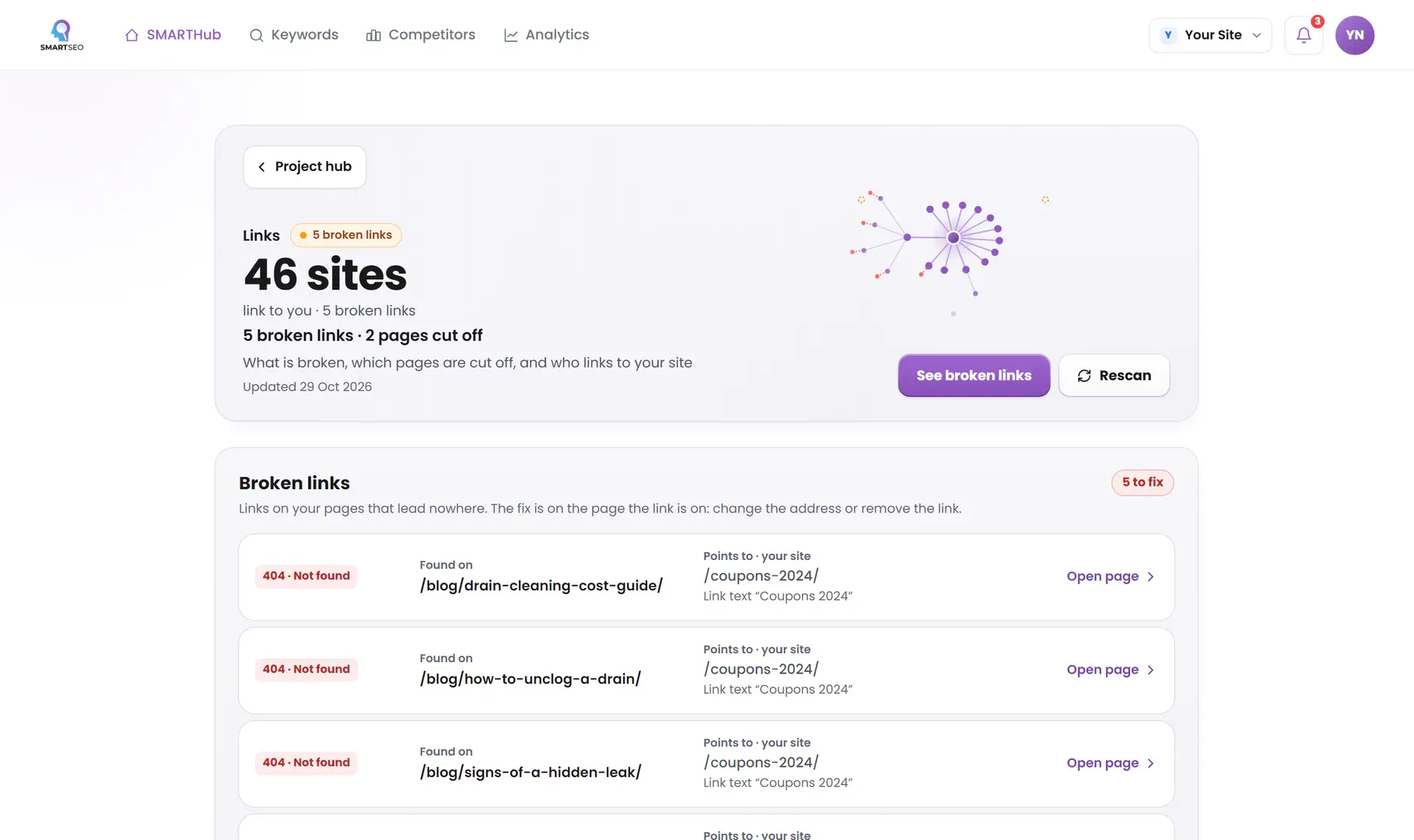
SMARTSEO reads as many pages per scan as your plan allows (see pricing), follows links beyond the sitemap, and flags each of the problems below. It only calls a page orphaned or deep when it has read at least 90% of the pages it knows you have, so a partial read never accuses a page wrongly.
The problems we find most often
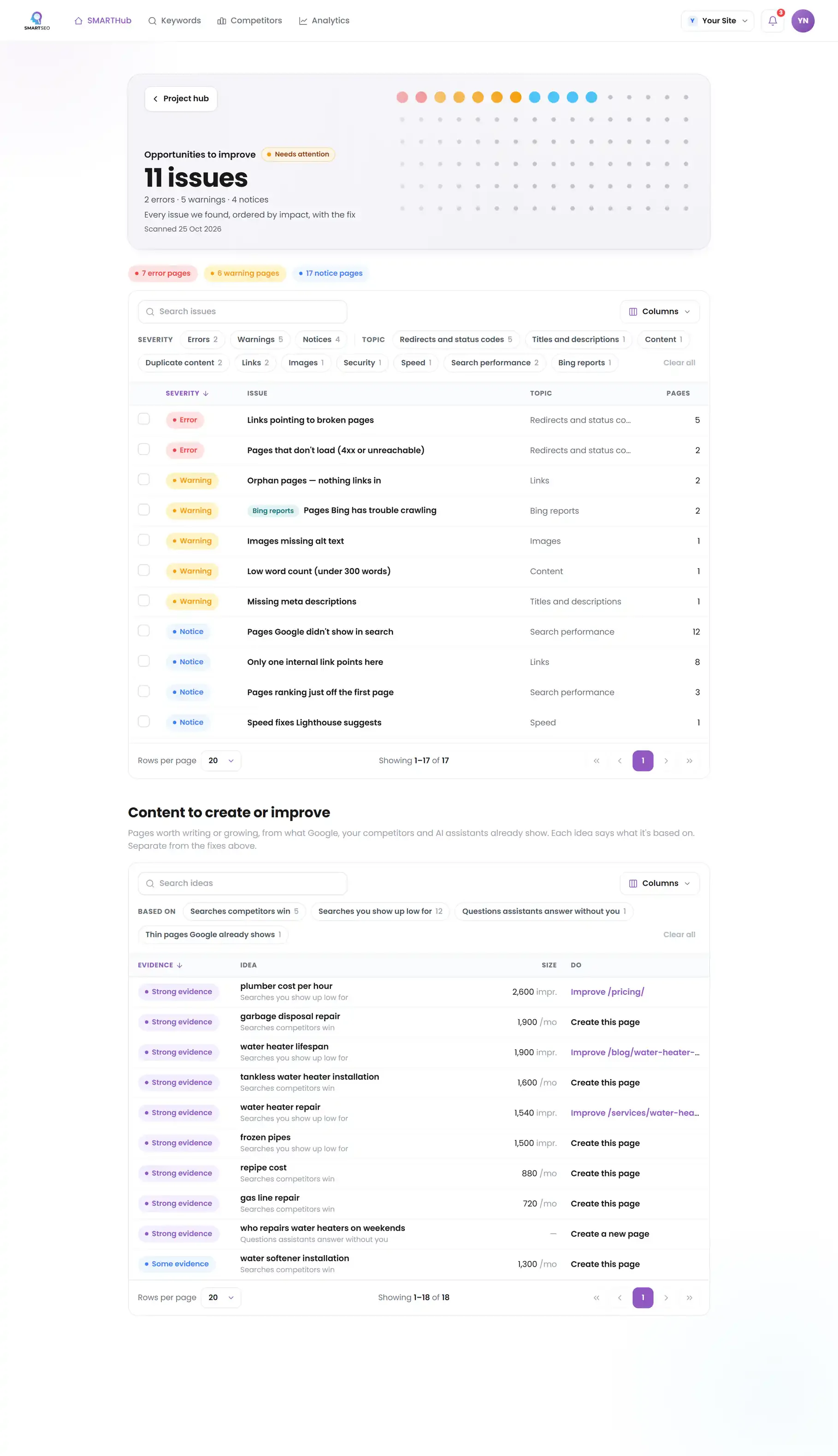
Each of these is a check SMARTSEO runs on every scan, in the words the app uses. Open one to see what triggers it and how to fix it.
WarningSame page at more than one address
- What triggers it
- One page loads at several addresses (case, a trailing slash, parameters) and no canonical says which is the main one.
- Why it matters
- This page also opens at another address that differs only in capital letters, and that address doesn’t say which one is the main one. Search engines can treat the two as copies and split the page’s links and visits between them.
- How to fix it
- Redirect (301) each other address to the main one, or add a canonical tag on it pointing at the main one. Then change the links on your site that use the other address: they’re listed under each one.
WarningPages with identical content
- What triggers it
- Two pages have word-for-word the same main text, once menus, header and footer are removed.
- Why it matters
- The main text of these pages is word-for-word the same, and neither names the other as canonical. Google will pick one to show and may not pick the one you want.
- How to fix it
- Merge them, or point the copies' canonical tags at the one you want in search.
NoticeNear-identical pages
- What triggers it
- Two pages of 200 words or more have almost the same main text.
- Why it matters
- The main text of these pages is almost the same. That can be fine for pages built from one template, but it makes them hard to tell apart.
- How to fix it
- Make each page distinct, or merge them.
ErrorCanonical points at a broken or redirecting page
- What triggers it
- A canonical points at a page that is broken or redirects.
- Why it matters
- A canonical should name the live page you want in search. One that points at a broken or redirecting address is a signal Google can't act on, so your choice of main page may be lost.
- How to fix it
- Point the canonical at the live, final address.
ErrorSitemap over the 50,000-URL limit
- What triggers it
- One sitemap file lists more than 50,000 addresses.
- Why it matters
- Google reads at most 50,000 addresses from one sitemap file and ignores the rest of that file.
- How to fix it
- Split it into several files and list them in a sitemap index.
Errorhreflang without a return link
- What triggers it
- Page A names page B as a language version, but B doesn’t name A back.
- Why it matters
- This page names another language version, but that version does not name this page back. Google only trusts the pair when both sides agree.
- How to fix it
- Add the matching hreflang link on each version so they point at each other.
NoticePages more than 3 clicks from your homepage
- What triggers it
- A page takes more than three clicks to reach from your homepage.
- Why it matters
- Pages buried deep in your site are harder for visitors and Google to reach, and tend to be crawled less often.
- How to fix it
- Link important pages from your homepage or from a main section page.
WarningOrphan pages — nothing links in
- What triggers it
- No other page we read links to this one.
- Why it matters
- A page no other page links to looks unimportant to Google, so the Expertise it holds never counts toward your site.
- How to fix it
- Link to each orphan page from a relevant, well-linked page so it can be discovered and earn rankings.
Even a small site shows the pattern
smartseo.dev is tiny, yet one stored scan already shows the large-site problems in miniature: a page whose canonical names another address, a sitemap listing that page anyway, and a sitemap page robots.txt won't let Google read. On a site with a hundred thousand pages, the same three mistakes come from a template and repeat on every page it builds.
SMARTSEO’s own project for its own site, read from stored data on October 28, 2026.
Questions people ask
What counts as an enterprise site for SEO?
Size and structure more than company size: thousands of pages, several templates, filters or parameters that multiply addresses, more than one language or country, and several teams publishing. That is where problems stop being one page's and start being a template's.
What is crawl budget, and should I worry about it?
It is how many pages Google is willing and able to fetch from your site in a given time. Google says most sites never need to think about it. It becomes real on very large sites, or when parameters and duplicates waste Google's visits on addresses that shouldn't exist.
How do you audit a site too big to crawl in one go?
By sampling each template rather than every page, then confirming the pattern. If one product page has a broken canonical, every page from that template usually does. Search Console's indexing reports show how many pages each problem affects.
Do I need hreflang?
Only if the same page exists in more than one language or for more than one country. Then every version must list every version, itself included, and the links must go both ways, or Google ignores them.
What we do for you
- Template-level audits: one fix that corrects thousands of pages
- Canonical, parameter and sitemap strategy for large catalogs
- hreflang setups for multi-language and multi-country sites
- Internal linking plans that bring deep pages closer to the homepage
- Work with your developers in their tickets and release cycle