
On this page
What ecommerce optimization is
It works on the pages shoppers move through, category, product, cart and checkout, and on everything that slows them down or makes them doubt.
It is usually the cheapest growth a store has. Doubling traffic takes months and budget; removing the reasons visitors leave raises revenue from the traffic you already pay for.
Where stores lose shoppers
Every missing answer is a reason to check another store.
Images that are too heavy, too few or uninformative. They are the closest thing to holding the product, and the heaviest part of most pages.
Mobile. Most store visits come from phones, and many stores are designed on a desktop. Tap targets, image sizes and form fields all behave differently on a small screen.
How to check it yourself
- Build a funnel.
In Google Analytics 4, build a funnel from view_item to add_to_cart to begin_checkout to purchase, split by device. The step with the biggest drop is where to start, and a gap between mobile and desktop at the same step usually means a mobile problem.
- Buy from your own store.
Then buy something from your own store on your phone, as a new customer, and note every pause.
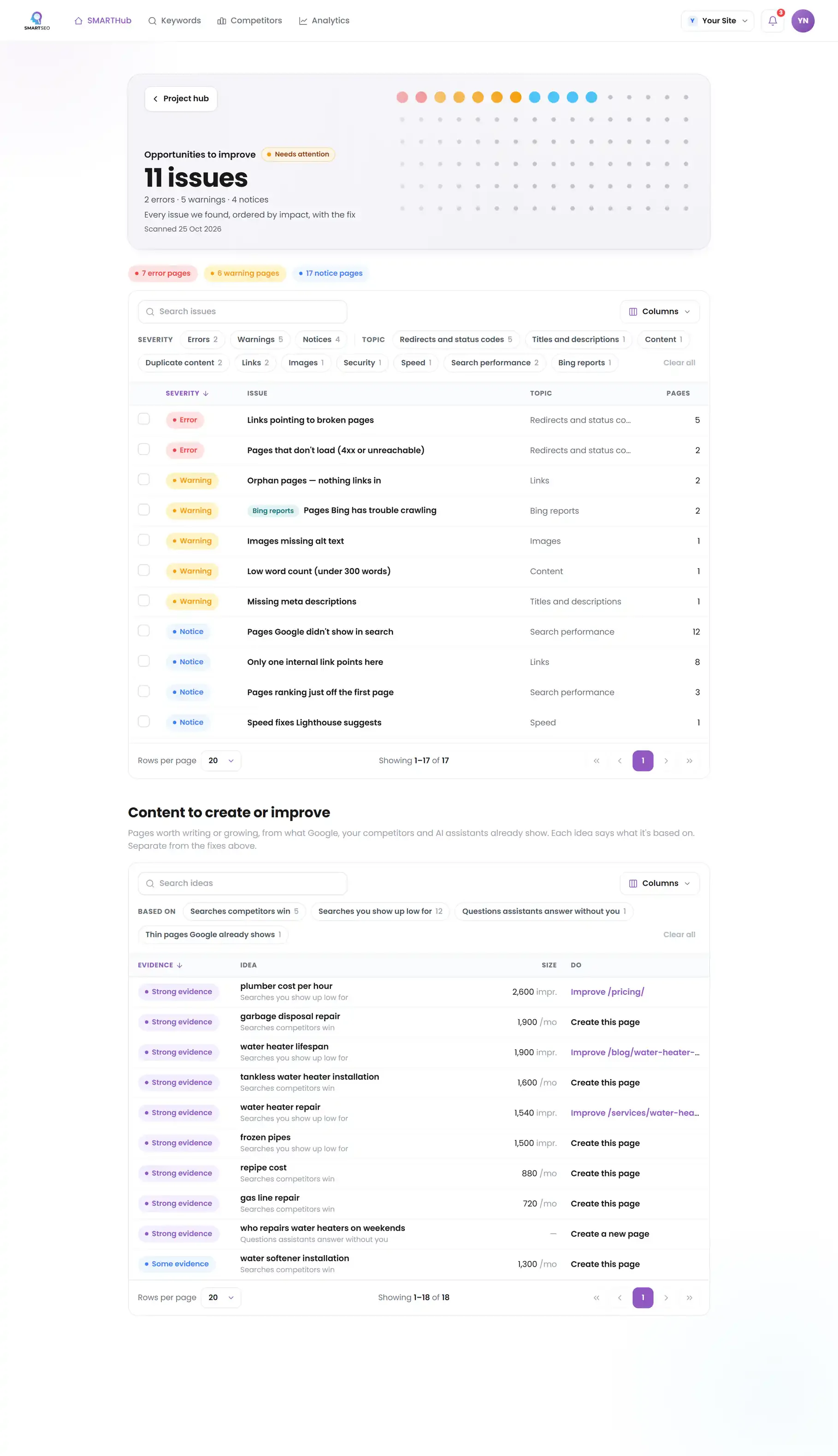
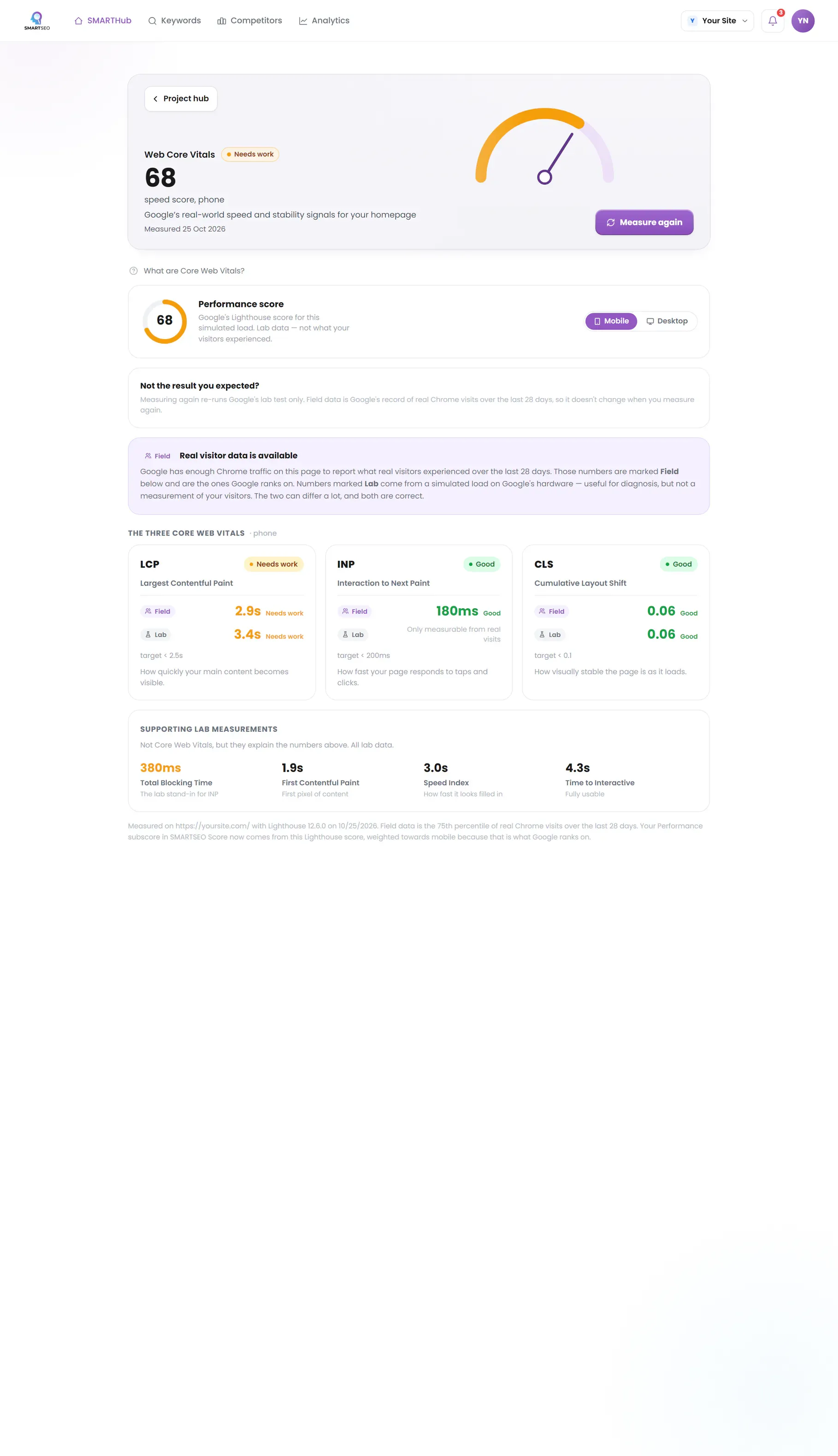
SMARTSEO reads your product and category pages for the problems below, measures your homepage’s speed on mobile and desktop, and with Google Analytics connected shows your visits and sales in plain words.
The problems we find most often
Each of these is a check SMARTSEO runs on every scan, in the words the app uses. Open one to see what triggers it and how to fix it.
WarningImages missing alt text
- What triggers it
- An image has no alt attribute.
- Why it matters
- Descriptive alt text supports accessibility and Trustworthiness, and unlocks Google Image traffic.
- How to fix it
- Add concise, descriptive alt attributes; describe the image, and include a keyword only where it reads naturally. A purely decorative image should have an empty alt="" instead, and is not counted here.
NoticeImages without width and height
- What triggers it
- An image has no width and height, so the page can’t reserve its space.
- Why it matters
- Without a width and height the browser can't hold space for an image, so the page jumps as it loads (that jump is what CLS measures).
- How to fix it
- Give each image width and height attributes, or a size in CSS.
NoticeNear-identical pages
- What triggers it
- Two pages of 200 words or more have almost the same main text.
- Why it matters
- The main text of these pages is almost the same. That can be fine for pages built from one template, but it makes them hard to tell apart.
- How to fix it
- Make each page distinct, or merge them.
WarningDuplicate meta descriptions
- What triggers it
- Two or more pages share exactly the same meta description.
- Why it matters
- When several pages share a description, the snippet under each result says the same thing, so people can't tell the pages apart.
- How to fix it
- Write one description per page, or remove them and let Google choose its own snippet.
NoticeURLs with 3 or more parameters
- What triggers it
- An address carries three or more query parameters.
- Why it matters
- Addresses with many ?parameters often show one page under many addresses, which spreads it thin.
- How to fix it
- Link to the clean address, and point the canonical of parameter versions at it.
Questions people ask
What is a good ecommerce conversion rate?
It varies too much by product, price and traffic source for one benchmark to help. Compare your store with itself: by device, by channel and month on month. A big gap between desktop and mobile usually points to a mobile problem you can fix.
Should I A/B test my store?
When you have enough orders for a test to finish in a few weeks. Below that, fix the obvious problems first: speed, missing information, a long checkout. They don't need a test to prove.
How many product images should I show?
Enough to answer what a shopper would check in person: the front, the back, details, scale and the product in use. Each one sized for the screen and described in its alt text.
Why do my product pages look like duplicates?
Variants and manufacturer descriptions. Products that differ only by color or size often share one text. Group variants on one page where you can, and write descriptions that say what is particular about each product.
What we do for you
- A conversion review of your product, category, cart and checkout pages
- Product page templates rewritten and restructured
- Image and speed fixes across the catalog
- Funnel tracking so every change is measured